
What is Meant by “Web Accessibility”?
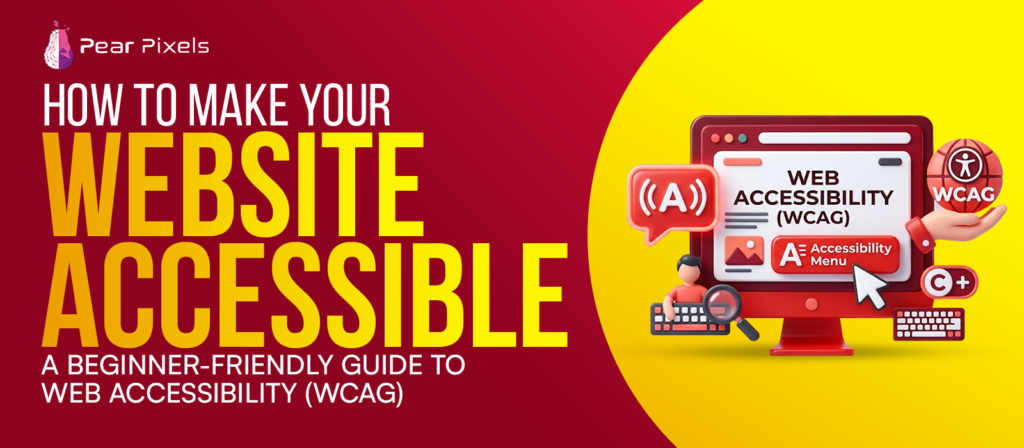
Web Accessibility is the design and development of websites that enable users with different disabilities to access the website with ease. These disabilities may involve visual impairment, hearing loss, mobility issues, or cognitive disabilities.
Some users may not be able to use a mouse and rely entirely on using the keyboard to navigate the computer. Others are using screen readers, which read web content out loud. Some individuals might have difficulty reading low-contrast text and/or flashing elements. All these users can still use your website without any hassles, thanks to accessibility.
It has a very strong relationship with WCAG—Web Content Accessibility Guidelines. These guidelines provide developers with a better understanding of how to create more accessible and usable websites.
It is Crucial to Realize Why Accessibility is so Important
Accessibility is no longer an afterthought tacked on at the end of development. This has become a crucial aspect of website development. Research indicates that 10–20% of the world’s population is disabled. To not be accessible is to ignore millions of internet users.
The legal aspect of accessibility is another consideration. Most countries now have regulatory requirements for website accessibility, such as WCAG and ADA-compliant websites. Complaints or penalties may be made against businesses that do not comply with these standards.
However, there’s more to accessibility than just preventing legal issues. It enhances the online experience for all users. Good navigation, easy reading, and properly organised content are good for all users, including disabled users.
Interestingly, accessible websites also outperform the search engines because accessibility enhancements are also good SEO practices in many cases. Organized content and semantic HTML, as well as descriptive text, are favored by search engines. With the rise of modern users who are accustomed to easy access to websites, accessibility is a core part of the focus of companies that are offering professional web development services.
Level AA conforms to the Core Principles of WCAG.
WCAG adheres to four major principles. These principles are to ensure that all users are able to use the website.
Perceivable Content
The information presented on the website should be perceived or recognised by the user. This implies that material should not be presented only through one sense, such as sight or hearing alone.
Images should have alternative text that can be read to the user by screen readers who cannot see the image. Videos should be captioned and/or transcribed for persons with disabilities who have difficulty hearing the audio. Color contrast also has a significant part. For some designers, a light grey that has a white background might look nice, but it is very hard to read for many users.
Operable Navigation
The use of a website should be easy. The user should not get lost or confused on the website. Not all visitors use a mouse. As such, all buttons, menus, and interactive elements should function correctly with keyboard navigation, such as Tab, Enter, and Arrow keys.
Don’t display animations or move content too quickly, as it can cause discomfort or seizures to sensitive viewers. Simple and easy interfaces tend to perform better.
Understandable Information
The information on your website needs to be easy to figure out. There is no confusing navigation or instructions on any page. Forms would be a good case example here. Use descriptive labels for text boxes instead of “Input Here.”Use labels like “Phone Number” or “Email Address” instead of “Input Here.” Error messages also need to provide clear information on the error.
At times, websites include difficult words all across the website, which makes the user experience unpleasant. Generally, it is better to keep things succinct and to the point, which will often make for more readable writing.
Robust Compatibility
A strong web page is usable on a variety of browsers, devices, and assistive technologies. Content must still be accessible when read aloud or displayed via mobile devices, tablets, or most older browsers. That is why it is recommended to use clean coding techniques and semantic HTML rather than too many random div elements throughout the web.
Making Images Accessible
The area of images is one of the least utilized areas of accessibility. A large number of websites post graphics without any descriptions. Alt text is the description of an image that is used to make sense of it for a person who is visually impaired. Don’t include any text or numbers that don’t convey meaning, such as “image123,” but rather something that is meaningful, such as “A group of children playing cricket in a park.”
The purpose of good ALT text is to provide an explanation of the image in a natural way, without getting too wordy. If an image doesn’t contain any information, then the alt attribute can be left empty, which means that the screen reader will ignore the element.
The Reasons Why Using Semantic HTML is Important
Semantic HTML assists assistive technologies and browsers in understanding the structure of websites and their elements. A tag such as header, nav, main, section, footer provides meaning to the layout. Screen readers use this structure to guide users through the content.
Headings should also be in proper sequence. Each page should start with a single h1 tag and have structured subheadings. Not including headings makes it unclear for assistive technology. There are a number of developers who are using div for just about everything, which can cause accessibility issues, if not outright problems. Accessible Forms Make for Better Experiences! Accessible Forms Make for Better Experiences!
When not given attention to accessibility, forms can be frustrating to the user. Forms without labels, confusing instructions, and errors can make forms impossible. Every input element must be labeled with a label that is clearly connected to the element via programmatic associations. Properly using instructions to describe expected formats. For instance, instead of just writing “Date”, you can write Date of Birth (DD/MM/YYYY), which is more useful. Also, error messages should be informative and state exactly what the problem is rather than giving general warnings.
Useable Forms for All Visitors, Including Disabled Visitors
The use of responsive design and accessibility.The application of responsive design and accessibility. The two concepts of accessibility and responsive design go hand in hand. People use websites from various screen sizes and devices every day.
It is a good accessible site if it can be zoomed up to 400% without any loss of layout or functionality. The size of the buttons should also be large enough to click or tap easily. Small buttons and packed layouts pose large problems for people with motor disabilities. Responsive accessibility means your content is accessible on phones, tablets, desktops, and assistive devices.
Testing Accessibility Regularly
Don’t view accessibility as a one-off job! Websites are continually changing with new pages, changes, and new features. Regular testing can be used to prevent the user from experiencing problems. There are a variety of tools available, such as WAVE, NVDA, contrast checkers, and more, that can identify accessibility issues in a timely manner.
Manual testing is also very important. Use your own site for a few minutes using just a keyboard. It can show you issues you might not have known about. Testing is easier than it is to do after the site’s built, which is why learning how to make your website accessible: A beginner-friendly guide to Web Accessibility (WCAG) is easier when it’s part of the development process.
Accessibility is About Inclusion
Inclusion is at the core of accessibility. The Internet should be accessible to all, irrespective of physical or cognitive disabilities. Businesses that invest in accessibility will find themselves with a better digital experience, increased customer trust, and improved platforms. But neither is accessibility a limitation of creativity. The website can be modern, attractive, and highly interactive and still be usable for people with disabilities.
How to Make Your Website Accessible: A Beginner-Friendly Guide to Web Accessibility (WCAG) is a follow-up to the book that empowers developers to build cleaner, smarter, and much more user-friendly websites. A minor tweak here, a minor change there, can now make a huge difference for someone who is trying to access all of your content in the near future.