
A Better Understanding of Responsive Design
Think about how websites used to work. Everything was built for desktops. Big screens. Wide layouts. Then phones showed up. Tablets followed. Suddenly, screens got smaller, taller, and rotated. Developers needed a smarter way for websites to adapt instead of breaking. That’s where responsive design came in.
Responsive design is basically your website learning how to breathe on different screens. It scales content. Adjusts layouts. Rearranges elements so they feel natural on each device. No endless zooming. No awkward side scrolling. No tiny unreadable text that makes users squint. When it works well, users don’t even notice it. And that’s the goal.
When Responsiveness Fails
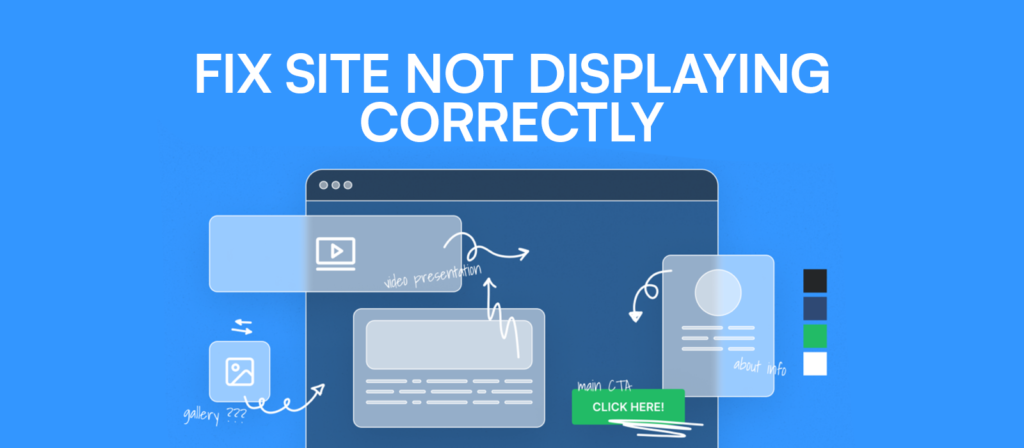
But when responsiveness is missing or only half-implemented, things get messy. If your site is completely unresponsive, it will show the desktop version on mobile. Sounds fine until you realise how horizontal layouts clash with vertical phone screens. Everything shrinks. Buttons become impossible to tap. UX suffers badly. Users are about 52% less likely to engage with a company that has a poor mobile experience. That number hurts. So the first quick check you should do is simple. Is your theme actually responsive?
Checking Your WordPress Theme
A lot of site owners assume it is. Especially if the theme description said “mobile-ready” somewhere in small text. But assumptions are risky here. A responsive theme is the foundation. Without it, fixing anything else is like rearranging furniture in a house with cracked walls.
An unresponsive theme doesn’t adapt. It just copies the desktop view and dumps it onto a smaller screen. The result looks tiny, cramped, and honestly a bit unprofessional. A good responsive theme stacks elements into a single column on mobile. Some things move. Some things hide. It won’t look exactly the same as a desktop, and that’s fine. What matters is usability.
Previewing the theme. Dragging the browser edge. Using developer mode with Ctrl+Shift+I. These small checks reveal a lot. If the theme isn’t responsive, replacing it is often the cleanest solution.
Plugins Can Affect Mobile Layout
Themes aren’t the only suspects, though. Plugins quietly cause a lot of chaos. Even if your theme behaves nicely, a single unresponsive plugin can break the mobile layout. Sliders overflow. Popups refuse to resize. Forms run off the screen. Each one chips away at the experience. Checking plugin responsiveness isn’t glamorous work, but it matters. If a plugin doesn’t behave on mobile, replace it. There’s usually a better option that works smoothly.
Media Scaling Issues
Now let’s talk about media. Images. Videos. Sliders. Galleries. This is where many WordPress sites stumble. If the media doesn’t scale properly, the mobile version starts looking clunky fast. Oversized images stretch beyond the screen. Videos push layouts out of alignment. Users start scrolling sideways, which is never a good sign. Non-scaling media makes a site feel unfinished.
Scaling media improves appearance, speed, and engagement. On mobile, speed matters a lot. Large files slow everything down. Check file sizes. Compress images. Tools like ShortPixel or Kraken.io help reduce size without losing quality. Sometimes, not everything needs to show on mobile. Decorative images and background videos can be hidden to keep things clean. Plugins like WP Mobile Detect help with that.
AMP and Mobile Display Differences
At this point, many people still ask why their site looks different on mobile, even when it’s responsive. This is where AMP comes in. Accelerated Mobile Pages are stripped-down versions of your site designed for speed. They remove heavy design elements and focus on essentials. Pages load faster. Google likes that.
But AMP pages look simpler. Cleaner. Sometimes too minimal. If you’re using AMP plugins, the difference in appearance is expected. Faster loading often means better user experience, but AMP isn’t mandatory. If you prefer the full mobile design, disabling AMP is an option. It’s about balance.
Mobile Theme Plugins
Another reason mobile layouts change is mobile theme plugins. Jetpack is a common example. It offers security, performance, and SEO features. But its mobile theme module can override your desktop theme on mobile. Suddenly, your mobile site looks completely different.
This feature exists to help older themes, but most modern themes are already responsive. Plugins like WPtouch work similarly by creating a separate mobile theme. If you want consistency, these plugins should usually be disabled. One small toggle can make a big difference.
Why It’s Rarely Just One Issue
By now, a pattern should be clear. When people say WordPress doesn’t display correctly on mobile, it’s rarely just one issue. It’s usually a mix of theme limitations, plugin behavior, media problems, AMP settings, and mobile overrides.
Fixing it isn’t always about quick hacks, but it’s about understanding the right things and how all these parts work together. This is where professional WordPress development services can help you. They look at the full picture. Test across devices. Adjust layouts. Optimise performance. It’s not magic. Just experience and structure.
Final Thoughts
One last thing. Always test on real devices. Browser previews help, but nothing beats opening your site on an actual phone. Different screens reveal different problems. So if you’re still dealing with wordpress doesnt display correctly on mobile, don’t assume your site is broken forever. It usually isn’t. It’s just misunderstood. Responsive design is subtle. Mobile behaviour is picky. And WordPress needs guidance to behave consistently.
Fix the basics. Clean the media. Question the plugins. Decide on AMP carefully. Test like a real user. Do that, and wordpress doesnt display correctly on mobile, slowly stops being a problem. And your users will feel the difference before they ever say it out loud.